Stay compact while agents work
The island stays compact until you hover. Explore a scrollable list of open sessions, with requests for input above ongoing work.
Local agent status, for Island
Claude Code, Codex, and Grok are working.
See which session needs your next move.
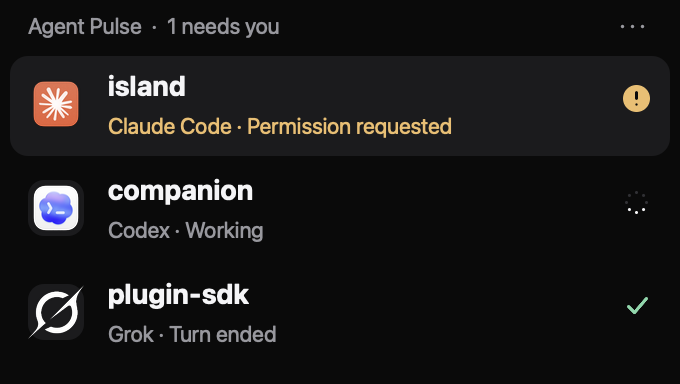
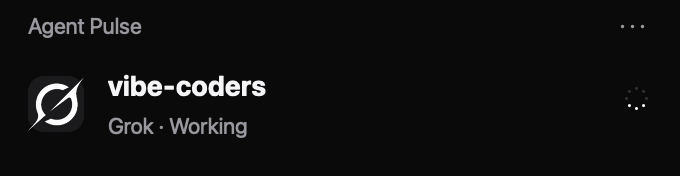
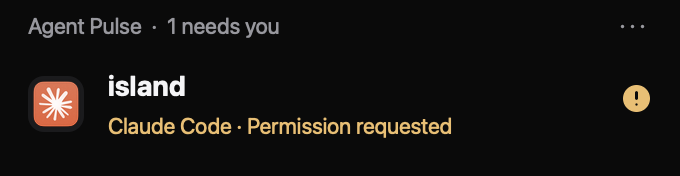
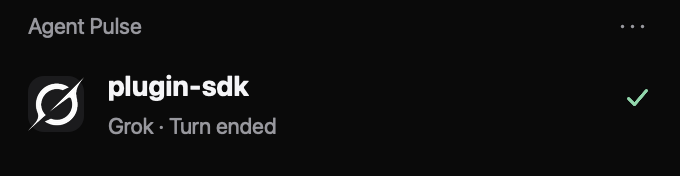
The island stays compact until you hover. Explore a scrollable list of open sessions, with requests for input above ongoing work.
Supported questions and confirmed attention states move to the top. An ended turn stays distinct from a request for input. Codex automatic approval signals do not become amber warnings.
Open an exact Codex desktop task, or return to a recorded terminal application on macOS. Terminal tab selection depends on the application; a resume command is available when direct opening is unavailable.
Agent Pulse listens to local lifecycle hooks. Each tool reports a little differently, and the interface keeps that distinction.
 Claude Code
CLI lifecycle hooks
Working, permission requests, supported questions, and turn end.
 Codex
CodexDesktop + CLI hooks
Exact desktop task links. Review and trust hooks in Codex before the first signal.
 Grok
GrokOfficial xAI CLI
Lifecycle hooks for activity; the local session registry helps identify closed sessions.
Build the open-source plugin, install it in Island, then connect your agents.
You’ll need a compatible Island host with its CLI, stable Rust with edition 2024 support, and macOS or Linux. Island release status ↗
Run this in your terminal. Packaging creates a local plugin folder; it does not install hooks.
git clone https://github.com/Sullivansome/agent-pulse.git
cd agent-pulse
./scripts/package.shReview the requested permissions. You can also select the built folder through Market → My plugins → Install from folder.
island-cli plugin install ./dist/com.sullivansome.agent-pulseThis adds hooks for all three tools and backs up changed configuration. Restart Claude Code and Grok. In Codex, review and trust the hooks in Settings → Hooks or /hooks.
./scripts/agent-pulse-setup.shStart a task to confirm the connection. Installed hooks and recorded activity are shown separately. Existing sessions appear after their next lifecycle signal.
Setup reference ↗The receiver records session identifiers, project names, lifecycle state, timestamps, and process identity. It keeps bounded request metadata and input hashes to match events.
Prompts, tool arguments, results, terminal contents, and transcripts are not retained. No API key or remote status service is needed.
Inspect the data contract ↗It means the agent emitted a Stop event for one turn. A larger goal may continue. The next prompt starts work again; an ended turn is not a request for your input.
Session-end hooks and process tracking remove closed CLI sessions. Desktop sessions without a controlling terminal rely on session hooks. Process-inspection errors are not treated as proof of closure.
After 10 minutes without a hook, working sessions show “No recent signal”. A long model or tool call can also be silent. Agent Pulse reports what it observed; it cannot prove a task is stuck.
Run ./scripts/agent-pulse-setup.sh --remove from the source checkout before deleting plugin data. Disabling the surface in Island does not remove hooks. Unrelated hooks, backups, and recorded status are preserved.
Agent Pulse is MIT licensed. The Island host and management CLI are separate, proprietary software. Their purchase terms are published on the Island website.
Island terms ↗